Understanding the Imperative of a Technical SEO Audit
A technical SEO audit is essentially a deep dive into your website’s infrastructure, evaluating its compliance with search engine guidelines and best practices. It’s about ensuring your site’s technical elements are optimized to facilitate maximum discoverability and optimal user experience. Without a solid technical foundation, even high-quality content struggles to rank, and your marketing efforts face an uphill battle. Think of it as the blueprints and structural integrity of a building; no matter how beautiful the interior design, if the foundations are weak, the entire structure is compromised.
For any organization, from burgeoning startups to established enterprises, a regular technical audit is not merely a recommendation but a necessity. It helps in:
- Improving Search Engine Crawlability: Ensuring search engine bots can access and read all important pages on your site.
- Enhancing Indexability: Guaranteeing that once crawled, your pages are added to the search engine’s index and are eligible to appear in search results.
- Boosting Page Performance: Identifying factors that slow down your website, which directly impacts user experience and search rankings.
- Rectifying On-Site Errors: Pinpointing broken links, duplicate content issues, and other technical glitches that degrade user experience and SEO.
- Staying Ahead of Algorithm Updates: Proactively addressing technical debt keeps your site resilient against changes in search engine algorithms.
In an increasingly competitive digital landscape, where the Long Form Vs Short Form Content debate often overshadows the foundational need for technical health, understanding and executing a thorough technical SEO audit is your secret weapon. It ensures that whether you’re publishing extensive guides or concise updates, your content has the best possible chance of reaching its intended audience.
Phase 1: Crawlability and Indexability Essentials
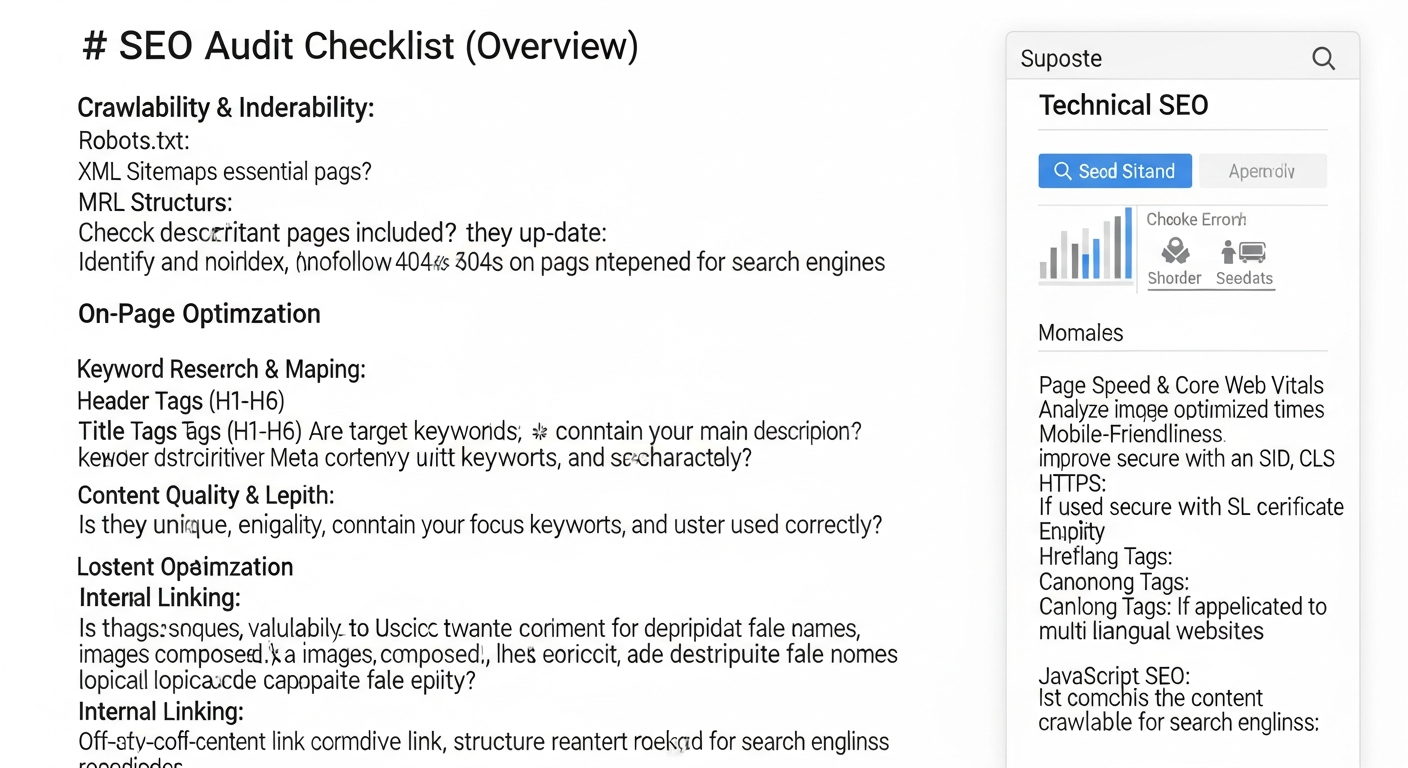
The first step in any technical SEO audit is to ensure search engines can actually find and understand your content. If bots can’t crawl your site, or if they’re prevented from indexing important pages, all other SEO efforts are in vain. This phase focuses on the fundamental communication between your website and search engine spiders.
Robots.txt Analysis
- Location and Validity: Verify that your
robots.txtfile exists atyourdomain.com/robots.txtand is correctly formatted.- Action: Check for syntax errors using Google’s
robots.txttester tool in Search Console. Ensure it’s not blocking critical CSS, JavaScript, or important content.
- Action: Check for syntax errors using Google’s
- Disallow Directives: Examine all
Disallowrules. Are they intentionally blocking certain directories (e.g., admin panels, test environments)? Are they accidentally blocking pages you want indexed?- Action: Remove any unintended disallows that prevent indexing of valuable content.
- Sitemap Reference: Confirm that your
robots.txtfile points to your XML sitemap(s) using theSitemap:directive.- Action: Add the sitemap directive if missing.
XML Sitemaps Review
- Existence and Location: Ensure your XML sitemap(s) exist and are accessible (e.g.,
yourdomain.com/sitemap.xml).- Action: Submit your sitemap(s) to Google Search Console and Bing Webmaster Tools.
- Content Accuracy: Verify that your sitemap only includes canonical versions of pages you want indexed and does not contain broken links, redirects, or pages blocked by
robots.txt.- Action: Remove non-canonical, broken, or blocked URLs from your sitemap. Update frequently for dynamic sites.
- Last Modified Dates: Check if
<lastmod>tags are accurate and reflect recent updates, signaling to search engines that content has changed.- Action: Implement dynamic sitemap generation that updates
<lastmod>automatically upon content changes.
- Action: Implement dynamic sitemap generation that updates
- Size and Limits: Confirm sitemaps don’t exceed 50,000 URLs or 50MB (uncompressed). If so, break them into multiple sitemaps.
- Action: Use sitemap index files to manage multiple sitemaps effectively.
Meta Robots Tags & X-Robots-Tag Headers
- Page-Level Directives: Scrutinize individual page source code for
<meta name="robots" content="...">tags. Common directives includenoindex,nofollow,noarchive.- Action: Ensure
noindexis only used on pages you explicitly want excluded from search results (e.g., thank you pages, internal search results). Remove it from indexable content.
- Action: Ensure
- HTTP Headers: Use a crawler or browser developer tools to check for
X-Robots-TagHTTP headers, which can applynoindexornofollowdirectives at the server level.- Action: Verify these headers are correctly configured and not accidentally preventing indexing of important resources.
Google Search Console & Bing Webmaster Tools
- Coverage Report: Analyze the “Index Coverage” report in Search Console for errors, warnings, and excluded pages.
- Action: Prioritize fixing “Error” pages (e.g., 404s, server errors). Investigate “Excluded” pages to ensure important content isn’t being dropped.
- Crawl Stats: Review crawl stats to understand how often search engines visit your site, how many pages are crawled, and any crawl anomalies.
- Action: A declining crawl rate might indicate issues with server response times or excessive blocked content.
- Manual Actions: Check the “Manual Actions” report for any penalties issued by Google.
- Action: Address any manual actions immediately and submit a reconsideration request.
Phase 2: Website Structure, Architecture, and Internal Linking
URL Structure Optimization
- Descriptive and Keyword-Rich: URLs should be human-readable and contain relevant keywords, accurately reflecting page content.
- Action: Avoid long, cryptic URLs with excessive parameters. Use hyphens to separate words.
- Hierarchy and Folder Structure: URLs should logically reflect your site’s hierarchy (e.g.,
/category/subcategory/product-name).- Action: Implement a shallow and logical URL structure, making it easy for users and bots to understand content relationships.
- Canonicalization: Ensure each piece of content has a single, preferred URL.
- Action: Implement
<link rel="canonical">tags consistently to point to the preferred version of pages, especially for pages with multiple URLs (e.g., tracking parameters, pagination).
- Action: Implement
- HTTPS Enforcement: Verify all URLs use HTTPS and that HTTP versions redirect to HTTPS.
- Action: Implement site-wide HTTPS with proper 301 redirects from HTTP to HTTPS.
Internal Linking Strategy
- Deep Linking: Ensure important content is linked to from various relevant pages, not just the homepage.
- Action: Use anchor text that is descriptive and keyword-rich, providing context for the linked page. Avoid generic “click here.”
- Link Equity Distribution: Analyze how link equity (PageRank) flows through your site. Important pages should receive more internal links.
- Action: Map out your internal linking structure to ensure valuable pages are prioritized. Tools like Ahrefs or Screaming Frog can help visualize this.
- Broken Internal Links: Identify and fix any internal links that lead to 404 pages.
- Action: Regularly crawl your site to find and correct broken links.
- Navigation and Breadcrumbs: Ensure clear, user-friendly navigation and implement breadcrumb trails for large sites.
- Action: Breadcrumbs not only improve user experience but also provide clear hierarchical signals to search engines.
Site Architecture (Information Architecture)
- Logical Grouping: Content should be logically grouped into categories and subcategories that make sense to users and search engines.
- Action: Review your site’s main navigation and content categories. Is it intuitive? Does it reflect user search behavior?
- Shallow Hierarchy: Aim for a shallow site hierarchy where important pages are only a few clicks away from the homepage.
- Action: Restructure deep content if necessary to reduce click depth for critical pages.
Phase 3: Performance, Core Web Vitals, and Mobile-Friendliness
Page speed and user experience are no longer just nice-to-haves; they are critical ranking factors, especially with Google’s emphasis on Core Web Vitals. A slow or difficult-to-use website will deter visitors and signal to search engines that your site provides a poor experience. This section dives into optimizing your site for speed and responsiveness.
Core Web Vitals Assessment
- Largest Contentful Paint (LCP): Measure the time it takes for the largest content element on the page to become visible.
- Action: Optimize image sizes, prioritize critical CSS, defer non-critical JavaScript, and use a fast hosting provider.
- First Input Delay (FID): Measure the time from when a user first interacts with a page (e.g., clicking a button) to when the browser is actually able to respond to that interaction.
- Action: Minimize main-thread work, reduce JavaScript execution time, and break up long tasks.
- Cumulative Layout Shift (CLS): Measure the visual stability of a page, quantifying unexpected layout shifts.
- Action: Specify dimensions for images and video elements, reserve space for ads and embeds, and avoid inserting content above existing content.
- Tools for Measurement: Utilize Google PageSpeed Insights, Lighthouse, and the Core Web Vitals report in Search Console.
- Action: Regularly monitor these metrics and prioritize fixes for pages with poor scores.
Page Speed Optimization
- Server Response Time: A fast server is foundational.
- Action: Choose a reliable hosting provider, use a CDN (Content Delivery Network), and optimize server-side scripts.
- Image Optimization: Large, unoptimized images are a common culprit for slow load times.
- Action: Compress images, use modern formats (WebP), implement lazy loading, and ensure images are correctly sized for their display area.
- Minification and Compression: Reduce the size of CSS, JavaScript, and HTML files.
- Action: Use Gzip compression for all text-based assets. Minify code by removing unnecessary characters.
- Render-Blocking Resources: Identify CSS and JavaScript that prevent the page from rendering quickly.
- Action: Inline critical CSS, defer non-critical JavaScript, and use the
asyncordeferattributes for scripts.
- Action: Inline critical CSS, defer non-critical JavaScript, and use the
- Browser Caching: Leverage browser caching to store frequently accessed resources locally.
- Action: Configure HTTP headers to set appropriate cache-control directives for static assets.
Mobile-Friendliness
- Responsive Design: Ensure your website adapts seamlessly to various screen sizes and devices.
- Action: Use a responsive design framework. Test your site with Google’s Mobile-Friendly Test tool.
- Viewport Configuration: Verify the
<meta name="viewport">tag is correctly configured in your HTML.- Action: Ensure it’s set to
width=device-width, initial-scale=1.
- Action: Ensure it’s set to
- Tap Target Sizing & Font Readability: Ensure interactive elements are large enough and spaced appropriately for touch, and text is legible on small screens.
- Action: Adjust button/link sizes and line spacing for mobile users.
Phase 4: Technical On-Page Elements and Structured Data
While often categorized under “on-page SEO,” several elements have a critical technical component that impacts how search engines interpret and display your content. This includes proper use of canonical tags, international targeting, and structured data implementation.
Canonical Tags (Deep Dive)
- Consistency: Ensure canonical tags are consistently pointing to the preferred version of a page, avoiding chains or self-referencing issues when not intended.
- Action: Review pages with query parameters, tracking IDs, or pagination to ensure canonicals are correctly implemented.
- Cross-Domain Canonicals: If content is syndicated or duplicated across domains, ensure proper cross-domain canonicals are in place.
- Action: Use canonical tags to consolidate link equity and prevent duplicate content penalties across your network.
Hreflang for International SEO
- Correct Implementation: If your site targets multiple languages or regions, verify
hreflangtags are correctly implemented in the HTML head, HTTP header, or XML sitemap.- Action: Ensure each
hreflangtag includes a link back to itself and references all other language/region variants. Use thex-defaulttag for a fallback page.
- Action: Ensure each
- Language and Region Codes: Confirm correct ISO 639-1 format for language codes and ISO 3166-1 Alpha 2 for optional region codes.
- Action: Double-check country and language codes for accuracy to avoid misfires in international targeting.
Structured Data (Schema Markup)
- Implementation: Check for correct implementation of schema markup (e.g., Organization, Article, Product, Review, FAQ, LocalBusiness) using JSON-LD, Microdata, or RDFa.
- Action: Ensure schema accurately reflects the content on the page and is not spammy or misleading.
- Validation: Use Google’s Rich Results Test and Schema.org Validator to identify errors and warnings.
- Action: Fix any validation errors to ensure your structured data is eligible for rich results in SERPs.
- Opportunity Identification: Explore opportunities for additional schema markup that could enhance your visibility (e.g., how-to, video object).
- Action: Research competitor schema usage and industry best practices.
Meta Robots Tags and X-Robots-Tag (Revisited for Specificity)
- Granular Control: For specific content types, ensure
noindex, followorindex, nofolloware used appropriately. For example, you might want to index a page but not pass equity from its outbound links.- Action: Verify the intent behind each meta robots directive aligns with your SEO goals for that specific page.
Phase 5: Security, Usability, and Advanced Considerations
Beyond the basics, a truly comprehensive technical SEO audit delves into security protocols, identifies usability hurdles, and explores more advanced configurations that can differentiate your site in a competitive market. This final phase consolidates these crucial elements.
HTTPS & Security Protocols
- SSL Certificate Validity: Ensure your SSL certificate is valid, up-to-date, and correctly installed.
- Action: Check for expiration dates and renew certificates proactively. Verify domain matching.
- Mixed Content Issues: Identify pages where HTTP resources (images, scripts, CSS) are being loaded on an HTTPS page.
- Action: Update all resource URLs to HTTPS. Use tools like Why No Padlock? or your browser’s developer console to find mixed content.
- HSTS Implementation: Consider implementing HTTP Strict Transport Security (HSTS) for enhanced security.
- Action: HSTS forces browsers to interact with your site only over HTTPS, preventing protocol downgrade attacks.
Broken Links and 404 Pages
- Identify Broken Internal/External Links: Use a crawler to find any links on your site pointing to non-existent pages (404s) on your own site or external sites.
- Action: Fix internal broken links by updating the URL or redirecting the old URL. Remove or update external broken links.
- Custom 404 Page: Ensure you have a user-friendly, custom 404 page that guides users back to relevant content.
- Action: Your 404 page should include navigation, a search bar, and suggestions for popular content.
- Soft 404s: Identify pages that return a 200 OK status code but display content indicating the page doesn’t exist (e.g., “no products found”).
- Action: Implement proper 404 or 410 status codes for truly non-existent pages.
Redirect Chains and Loops
- Identify Redirect Chains: Multiple redirects (e.g., A > B > C) slow down page load times and can dilute link equity.
- Action: Streamline redirect chains to single redirects (A > C).
- Detect Redirect Loops: A series of redirects that lead back to the starting URL (A > B > A) will cause an error.
- Action: Immediately fix any redirect loops.
- Appropriate Redirect Types: Ensure 301 (permanent) redirects are used for permanent changes, and 302 (temporary) for temporary ones.
- Action: Avoid using 302s for permanent moves, as this can confuse search engines about the canonical URL.
JavaScript SEO Considerations
- Crawlability & Rendering: If your site heavily relies on JavaScript for content, ensure it’s rendered correctly by search engines.
- Action: Use Google’s Mobile-Friendly Test or URL Inspection tool in Search Console to “Test Live URL” and check the rendered HTML for critical content.
- Lazy Loading & Dynamic Content: If content is loaded dynamically, ensure it’s triggered and visible to bots without user interaction.
- Action: Implement server-side rendering (SSR), static site generation (SSG), or pre-rendering for critical content that relies on JavaScript.
Server Log Analysis
- Crawl Behavior Insights: Analyze server logs to see how search engine bots are interacting with your site in real-time.
- Action: Identify pages being crawled frequently (or infrequently), crawl errors, and bot activity patterns. This can reveal issues not apparent in Search Console.
- Crawl Budget Optimization: Use logs to see if bots are wasting crawl budget on unimportant pages.
- Action: Use
robots.txtornoindexto block low-value pages from being crawled or indexed, conserving crawl budget for important content.
- Action: Use
Phase 6: Tools, Reporting, and Continuous Optimization for 2026
Executing a technical SEO audit is not a one-time task but an ongoing process. The digital landscape, search engine algorithms, and your website itself are constantly evolving. Effective auditing requires the right tools, clear reporting, and a commitment to continuous improvement. Leveraging Marketing Automation Tools 2026 can significantly streamline the monitoring and reporting phases, allowing you to react swiftly to emerging issues.
Essential Technical SEO Tools
- Website Crawlers:
- Screaming Frog SEO Spider: Industry-standard desktop crawler for in-depth site analysis (broken links, redirects, meta tags, indexability).
- Sitebulb: Provides visual data and actionable insights, making complex audits more accessible.
- DeepCrawl/Lumar: Enterprise-level cloud crawlers for very large and complex websites.
- Google Search Console & Bing Webmaster Tools: Indispensable for official data on crawl errors, index status, core web vitals, and security issues.
- Action: Set up and regularly monitor these platforms. They are your direct line to Google and Bing.
- Google PageSpeed Insights & Lighthouse: For performance and Core Web Vitals assessment.
- Action: Use these to get specific recommendations for improving page load speed and user experience.
- Structured Data Testing Tools:
- Google’s Rich Results Test: Verifies schema markup and eligibility for rich snippets.
- Schema.org Validator: Checks compliance with Schema.org standards.
- Server Log Analyzers:
- Loggly, Splunk, SEO Log File Analyser (Screaming Frog): For deep insights into bot behavior.
Reporting and Prioritization
- Consolidated Report: Compile findings from all tools into a single, comprehensive report.
- Action: Categorize issues by severity (Critical, High, Medium, Low) and impact (Crawlability, Indexability, Performance, UX).
- Actionable Recommendations: Translate technical jargon into clear, actionable steps for developers and content teams.
- Action: Provide specific instructions and examples for each identified issue.
- Prioritization Matrix: Use a matrix considering effort vs. impact to prioritize fixes.
- Action: Focus on “quick wins” (high impact, low effort) first, then tackle larger, more complex issues.
Continuous Monitoring and Re-Auditing
- Regular Checks: Schedule monthly or quarterly checks for critical issues like
robots.txtchanges, broken links, or major crawl errors.- Action: Integrate these checks into your routine Digital Marketing Strategy Small Business 2026.
- Annual Full Audit: Conduct a comprehensive technical SEO audit at least once a year, or after major website redesigns/migrations.
- Action: This ensures your site remains technically sound and competitive as search engines evolve.
- Stay Updated: Keep abreast of the latest SEO news, algorithm updates, and best practices.
- Action: Subscribe to industry blogs and participate in SEO communities.
By diligently following this technical SEO audit checklist, you’re not just fixing problems; you’re proactively building a resilient, high-performing website that stands the test of time and algorithm changes. This meticulous approach ensures your digital assets are fully optimized to capture search visibility, drive organic traffic, and contribute meaningfully to your business goals well into 2026 and beyond.
Frequently Asked Questions
Recommended Resources
Explore Best Books For Entrepreneurs And Business Leaders for additional insights.
For more on technical SEO audit, see How To Create Passive Income With Ecommerce on E-ComProfits.